


About the Product – MS Office Pro Plus Online Activation for Single and Permanent use.
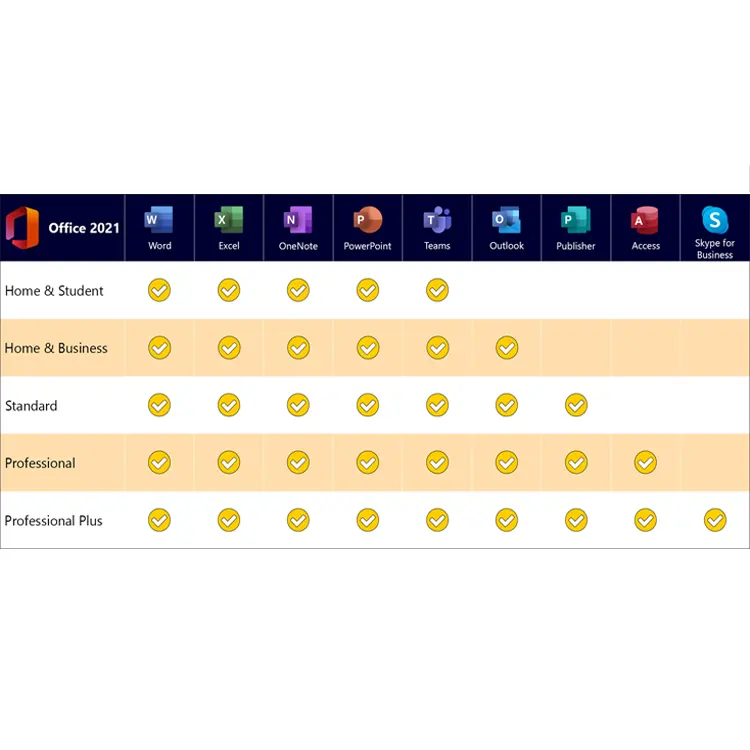
- Office Professional Plus single key is for one time use only and bind key for permanent use. which is activated by an office account through the Microsoft Office official website. It supports unlimited reinstallation and permanent usage licenes for this account. For you, one purchase can be used for life; Office2021 Professional Plus is currently the latest and most professional version of Office, which includes software product components such as Outlook, Word, Excel, PowerPoint, OneNote, Access, Skype for Business, and Publisher. It is a great office software and highly recommended.
How To Activate:
- Warranty instructions: Please complete all use of this product within 7 days after receiving the receipt. If it exceeds 7 days, there may be a risk of not being activated and not being able to enjoy replacement after-sales service.Please follow the installation guide below to activate and bind your office
- What you need to do is
1: Uninstall Office from your computer (all versions of Office require uninstallation). The uninstallation method is to right-click on the blank space of the desktop~Personalization~Theme~Desktop icon~View the control panel, open the control panel~Programs~Uninstall the program to complete the uninstallation.
2: Open a computer browser: Click to Activate key and Setup
3: Prepare to enter a Microsoft account. If you already have an account, please enter the account name and password you want to log in to. If you do not have an account, please follow the prompts on the page to register for a Microsoft account and log in - 4: The ‘Enter Activation Code’ page appears, enter the key, and then wait for activation to complete (installed through your Microsoft account)
5: Display country/region and language options. Choose your country/region and language, such as English
6: Click ‘Next’. In the subscription and service bar, click to display the bound and activated offices. You will see ‘Install’, click ‘Install’ to download and save
7: Click ‘Install’ to complete
8: After the installation is completed, open an office application component, click on “Login” in the upper right corner, enter the account bound in the second step, and log in to complete all installations
Reviews
There are no reviews yet